
Start on the product page#
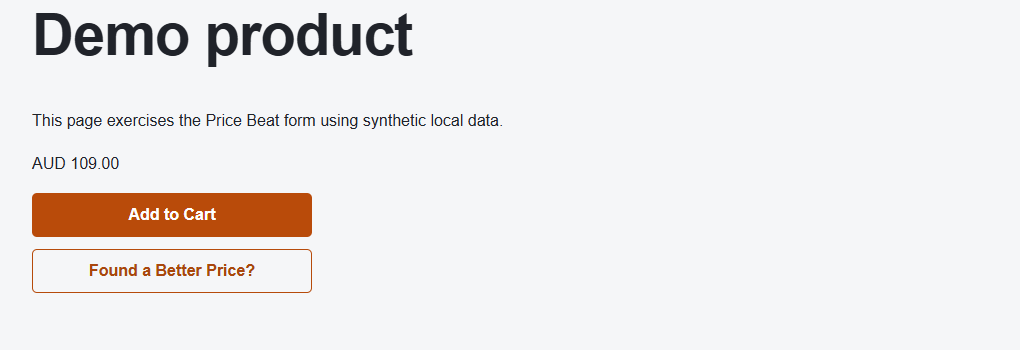
The customer chooses any required product options, then selects Found a Better Price? below Add to Cart. The Price Beat button follows the cart button’s width and height, with space between them. Your configured button text may differ.
Submit a request#
- Check the product shown in the form.
- Enter Your name and Your Email.
- Add the competitor product link and its unit price in the displayed currency. Links such as www.example.com/product are accepted; https:// is added automatically when no protocol is supplied.
- Choose the requested quantity and add an optional note.
- Read the store’s terms and select Submit request.
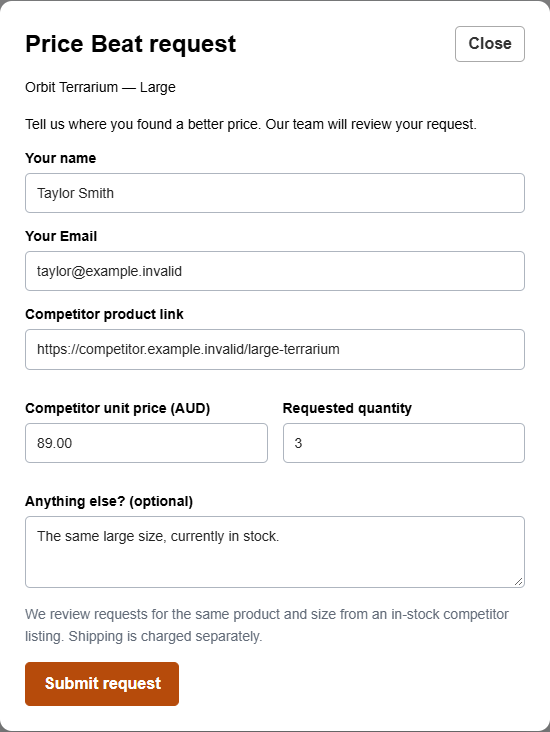
Guests can submit requests without signing in. Submission is a request for review, not an approved discount. The confirmation shows a request reference; the customer receives a decision email when email delivery is configured and enabled.
What happens next#
The request appears in the staff inbox. Staff may approve a different price or maximum quantity, or decline the request. If approved, the customer can follow the emailed offer link and sign in to use the guided redemption flow. See Using an accepted offer.